Stop resizing images by hand.
Derivv Pro automates your image workflow so you can focus on creating.
Available for Mac, Windows, and Linux.



From source to shipped
Your whole image pipeline, in one app
Pull images in from anywhere, process them locally with precision, and deliver them wherever they need to go. No round trips, no busywork, just the finished images.
- Bring images in from anywhere
Drag and drop, point the CLI at a folder, or scan any web page with the browser extension. It grabs the sharpest source from srcset automatically.
- Set it once, run it on thousands
Save presets for your sizes, formats, quality, crop, and naming. Process a single image or ten thousand with the exact same recipe.
- Smart crop keeps the subject
Focal-point and face detection frame every crop automatically, or drag to fine-tune to the pixel. Need more resolution? AI upscaling has you covered.
- Modern formats, smaller files
Export AVIF, WebP, JPEG, and PNG at the quality you choose, plus print-ready DPI and 2x/3x variants when you need them.
- Ship straight to production
Publish to S3, Cloudflare R2, DigitalOcean Spaces, or WordPress, or export neatly organized folders and zips. No middle step.
- Automate from the command line
Batch and watch folders headlessly with the derivv CLI. Wire it into your own scripts and workflows, or let AI do it for you.
Reduce tedious work
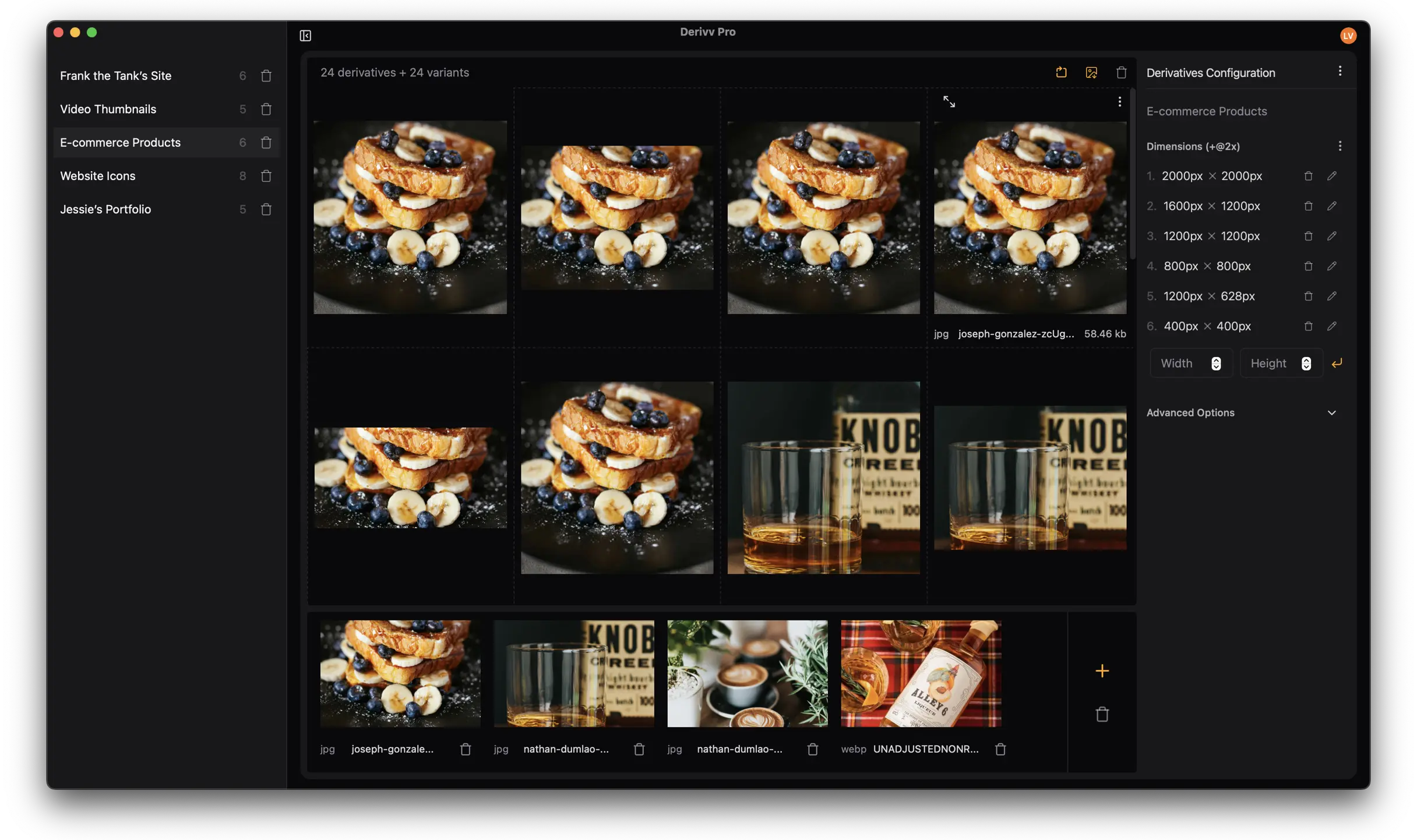
Resizing images matters—it just shouldn't be tedious. When you're resizing similar files repeatedly, Derivv Pro's saved presets eliminate the configuration hassle so you can get it done quickly.
- Stop redoing the same setup.
- Save a preset once with your sizes, formats, quality, crop, and naming. Every future export uses it. No re-entering dimensions, ever.
- Start from a template.
- Built-in presets for e-commerce, social, and thumbnails get you going in seconds. Tweak them, or build your own from scratch.
- Land the focal point every time.
- Smart crop frames faces and subjects automatically. When you want the final say, drag to nudge it to the exact pixel.
“I literally can't program photoshop to do this.”
No export-and-upload dance
Ship straight to production
Connect your storage or CMS once and send finished images there in a click. Layouts, naming, and folders carry through automatically.
- Amazon S3
- Cloudflare R2
- DigitalOcean Spaces
- WordPress
- Organized folders
- Zip bundles
Start free. Upgrade when you need more.
Free gets you unlimited local resizing and conversion. Pro adds the smart stuff and publishes straight to production.
Free
$0forever
Everything you need to resize, convert, and export, right on your machine.
Get started free- Unlimited images, unlimited runs
- Bring images in from anywhere
- Modern formats, smaller files
- Organized folders and zips
- 100% on your machine
Pro
$15/moUSD · per person
Everything in Free, plus the features that save you the most time. Have a team? Add your organization at signup for per-seat billing on one bill.
Upgrade to Pro- Save presets, run them on thousands
- Smart crop that keeps the subject
- AI upscaling for more resolution
- Auto-tag filenames
- Ship straight to production
- Direct support
Cancel any time.
Why we built this.
Derivv started as a free web app built to solve one problem: resize one image to multiple sizes. Here's what people said about it.
- I literally can't program photoshop to do this.Leo
- Thanks. This tool is perfect!Colin
- Keep up the good work that is Derivv!Jono
- Hi Levi -- very nice tool and keep up the good work!Andrew G.
- Levi, I use your app on a daily basis and it's really helpful and simple. Can't imagine it going down.chezki
- Love that site!Ko-fi Supporter
- Thank you for an amazing tool! I wish there was a desktop app version!Adam W.
- Great App. Crazy useful. Thanks.Bill
- Oh my gosh, what a timesaver. I'm going to use this image resizer all the time! Thank you!!. Annalisa R.
- great option for resize 1 image to many different sizes, thank you! you save my life :DRichieRich
- Thank you. this is amazing!!Anonymous
Notes people left for Derivv Classic on Ko-fi and Buy-Me-A-Coffee. They kept asking for more, so we built it.
Frequently asked questions
If you have anything else you want to ask, reach out.
Does Derivv upload images to the cloud?
Derivv Pro only processes images on your machine. It does not upload any images to the cloud for processing.
Do you provide educational discounts?
Yes! Reach out and we'll get you set up.
Is there a free version?
Yes. Derivv Pro is free to use, with no card and no limit on how many images you process. Pro adds saved presets, smart crop, AI upscaling, auto-tagging, and publishing to S3, R2, Spaces, or WordPress for $15 a month. The original web app, Derivv Classic, is still online for resizing a single image.
Is there a Windows version?
Yes! Derivv Pro is available for Windows and is signed with Azure Trusted Signing.
What file types are supported?
Derivv Pro reads JPEG, PNG, WebP, and TIFF, and exports JPEG, PNG, WebP, and AVIF — with more formats on the way.
Can I buy the app without a subscription?
Not right now. The Free plan is free for as long as you like, and Pro is $15 a month with no contract — cancel any time.
Built by HatchMatter
Derivv Pro and Derivv Classic were designed and built with in Sonoma County, California by HatchMatter—a product studio for creatives.